
The eKlecia® app has grown – and runs more smoothly than ever
Since our last update, which lets you freely choose the prelude for every hymn, quite a bit has happened in the eKlecia® app – much of it under the hood. The most important part in a single sentence: eKlecia® now also runs on tablet and iPad, is more compatible with older devices and even more independent from external services.
We keep developing the app carefully – step by step, always guided by what is really needed in church, care home and clinic. All the new features are included in your access at no extra cost and arrive automatically on your device. Here you can read at your leisure what has changed.
The most important points at a glance
- eKlecia® now also runs on tablet and iPad – with a larger, tidier view in both portrait and landscape.
- Higher compatibility: eKlecia® now runs noticeably more stably on older smartphones and tablets too.
- The hymn search now also filters by regional section (diocesan appendix) and hymnal edition.
- Privacy is even more independent from outside services: fonts are built right in, and the app works without external services.
- Everything arrives automatically and free of charge via the App Store and Google Play – you don’t have to change a thing.
What’s new in the current version?
In the current version, eKlecia® feels at home on large screens, runs smoothly on more devices and has been improved in the details. The four biggest new features: tablet and iPad support, greater stability on older devices too, finer filters in the hymn search and even more consistent privacy protection. On top of that come numerous small refinements for current devices.
Unlike last time, this update is less about a single new feature than about dependability: the app should look good everywhere, run calmly everywhere and simply do what it is meant to – whether during a service, a devotion or at the bedside.
eKlecia® now also runs on tablet and iPad
Yes – the eKlecia® app is now fully tablet-ready. On iPad and Android tablets it makes sensible use of the larger screen: bigger text, more overview, pleasantly large buttons. And it rotates automatically, whether you hold the device upright or sideways.
To do this we rebuilt the app’s central views – from the home screen through the hymn list and the player to the forms and your lists. The small playback bar at the bottom, the loading views and the overview of your hymn lists now adapt to the screen size as well. On the iPad, eKlecia® is once again available as a full-fledged app.
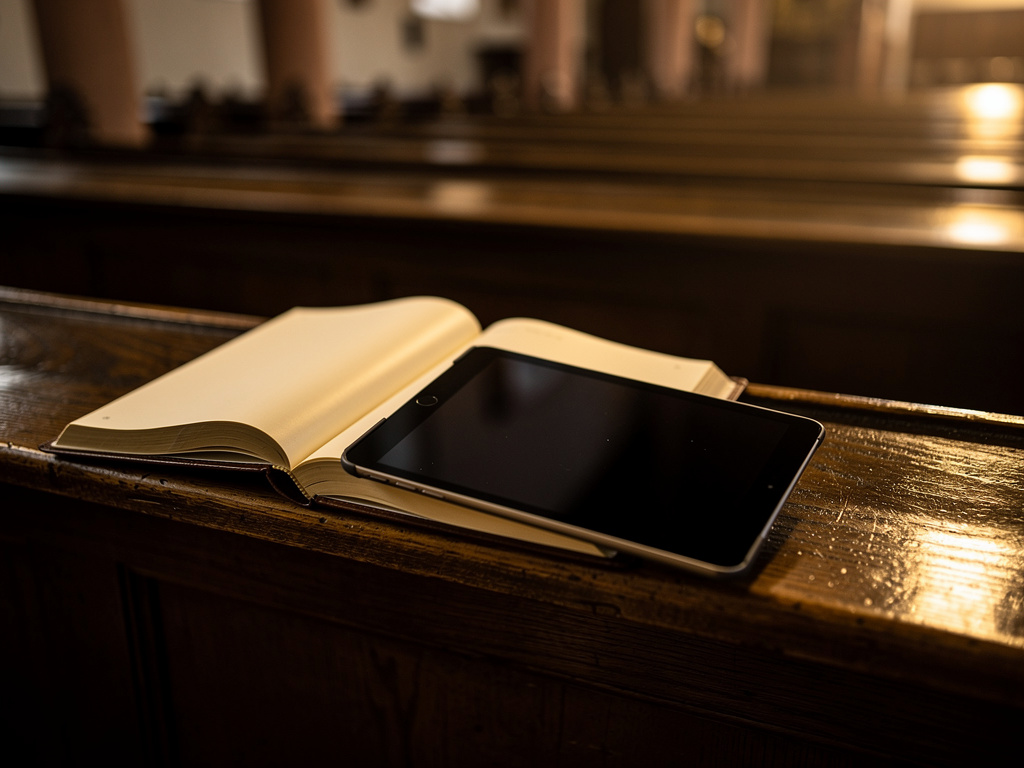
Why this matters day to day: a tablet sits clearly readable on the organ’s music stand, can be passed around during a devotion and is easier on older eyes than a small phone display. Anyone using eKlecia® in the parish or the care home now has the hymns large and clearly laid out in front of them.
Higher compatibility – with older devices too
An app that steps in during a service needs above all one thing: to start reliably – on whatever device happens to be at hand. That is exactly what we have worked on.
The current version runs noticeably more stably and is more compatible with older smartphones and tablets. Especially on devices that already have a few years behind them, eKlecia® now starts and plays even more calmly and reliably – across a wide range of manufacturers.
Playback in the large player runs more smoothly too: when you pause a hymn or switch between verses and the prelude, the app responds reliably to every tap.
“During a service there is no second chance. The app has to step in on the first tap – every time.”
Find the right hymn faster – in the regional section too
Many hymnals have their own regional section – the so-called diocesan appendix, in which the hymns are ordered and numbered differently depending on the diocese. This is precisely where the new version helps: you can now narrow the hymn search further by regional section and hymnal edition.
That way you can see at a glance whether a hymn comes from the general main section or from your regional appendix – a small marker (badge) makes it clear. And these filters are now available where you add a hymn to a list, not just in the search.
Together with the occasion filter we introduced last time, the hymn search has become even more precise. To learn how the occasion filter works, read the article Finding hymns by occasion – and freely choosing the prelude. You can also find the complete hymn database with over 1000 hymns on our hymn list.
Free, automatic, no changes needed
All the new features arrive on your device as a free update – included in your access, at no extra cost. You don’t have to set anything up or learn anything new: what you know stays, and what’s new is simply there.
An overview of all the app’s features – or download the app right away and try it free for four weeks with a free trial.
Privacy: even more independent from outside services
Privacy has mattered to eKlecia® from the very beginning – and with this version the app becomes even more independent from external services. eKlecia® now brings the fonts it uses along itself, so that nothing has to be loaded from outside servers when you open it.
This keeps as much as possible where it belongs: on your device. For you, nothing changes in everyday use – except the good feeling of using an app that deliberately handles data sparingly. Read more in our privacy policy.

Optimised for modern devices
Beyond the visible new features, we have adapted eKlecia® to current devices in many places. The app now uses the full screen area of modern smartphones (edge-to-edge display) and has been tested up to the latest Android versions. Links to external pages – for example to our website or to support – now open reliably on all current Android devices too.
These are improvements you rarely notice – and that is exactly the point: technology that simply works and doesn’t draw attention to itself.
How do I get the update?
Completely automatically. eKlecia® is a native app from the App Store (Apple) and Google Play (Android). As a rule the app updates itself; if you like, you can also tap “Update” manually in the respective store. The update is free and included in your access – you don’t have to set anything up again.
Not using eKlecia® yet? Then download the app on the Download app page and try it free for four weeks. Our help section answers questions about installation. For an overview of the big update before this one, see the article The new eKlecia® version is here.
Would you like to try the new version for yourself?
→ Download the eKlecia® app for iOS & Android
→ All the app’s features
→ Prices and free trial access
Frequently asked questions
Does the eKlecia® app run on tablet or iPad?
Yes. Since the latest version, eKlecia® is fully tablet-ready and runs on iPad and Android tablets. The view makes use of the larger screen with bigger text and more overview, and rotates automatically – in both portrait and landscape.
Does the app update cost anything?
No. All the new features are included in your access at no extra cost and arrive automatically on your device via the App Store and Google Play. You don’t have to change a thing.
Does the eKlecia® app also run on older devices?
Yes. The current version has been improved for higher compatibility and runs noticeably more stably and reliably on older smartphones and tablets too – across a wide range of manufacturers.
How do I update the eKlecia® app?
As a rule the app updates automatically. You can also tap Update manually in the App Store or on Google Play. The update is free and included in your access.
What has changed regarding privacy?
eKlecia® now brings the fonts it uses along itself, so that nothing has to be loaded from external servers when you open it. This makes the app even more independent from outside services, and it deliberately handles data sparingly.